
Demystifying responder chain (UIKit)


What are responder objects?
UIResponder objects are the objects that can participate in event handling. UIKit delivers
events(UIEvent) to these objects and gives them an opportunity to handle those events.
While NOT using responder chain, flow of handling events in iOS apps is:
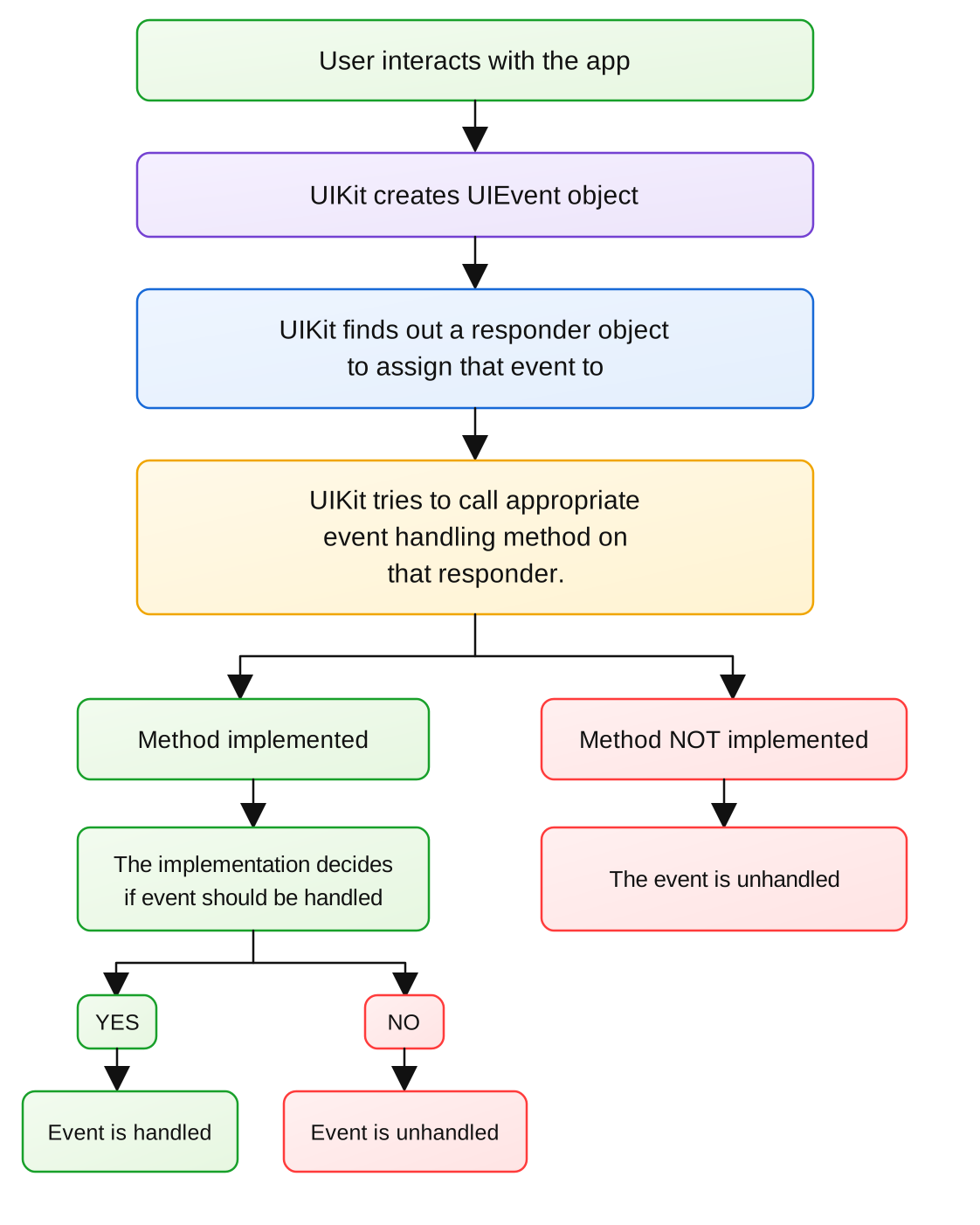
Along with just handling events, there is another facility provided for the iOS developers. The developers can create a set of responder objects in such a way that, if the event is not handled by a responder, UIKit can forward that event to another responder object and so on. This way, the responder chain is formed. It is up to the developer how to get benefit of this.
Technical definition of responder chain is: A set of UIResponder objects, which are connected through their "next" (next responder) property. Any structure below is possible for responder chains:
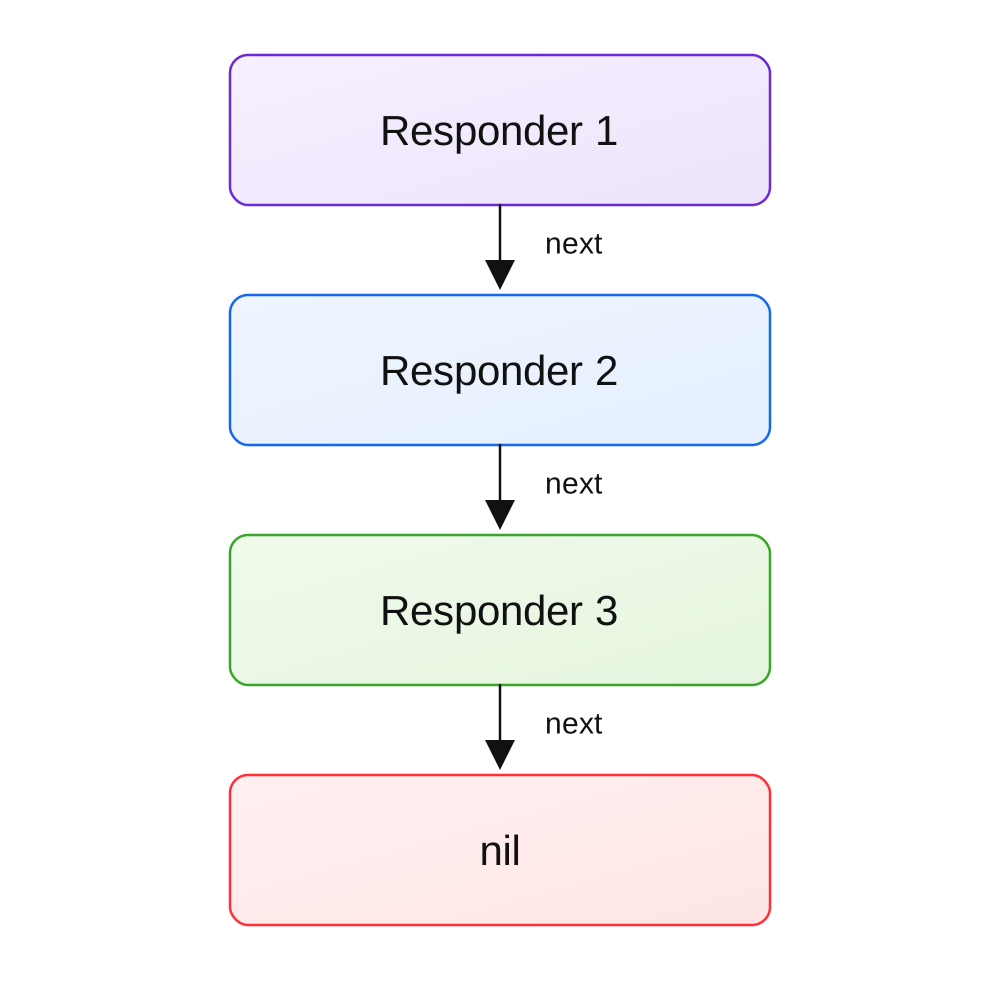
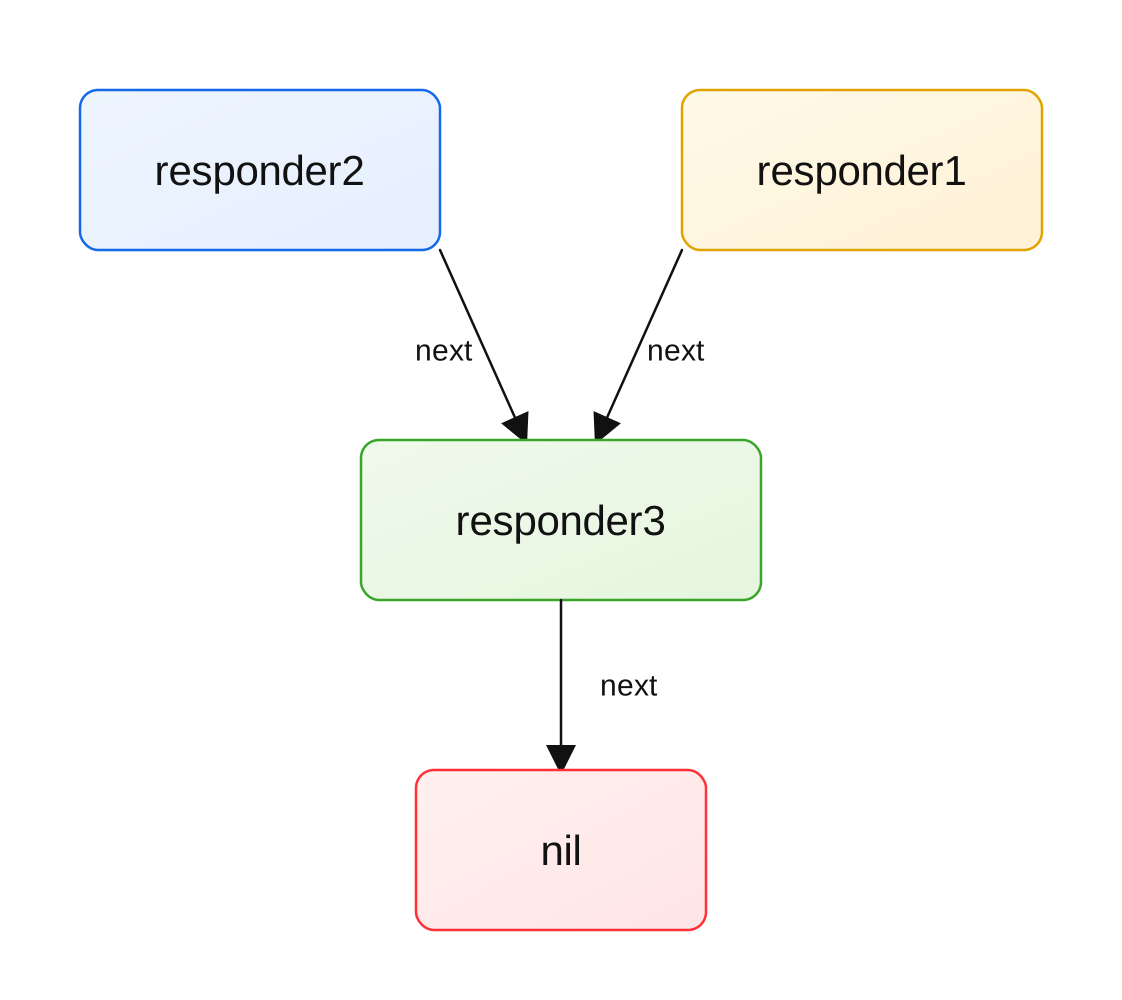
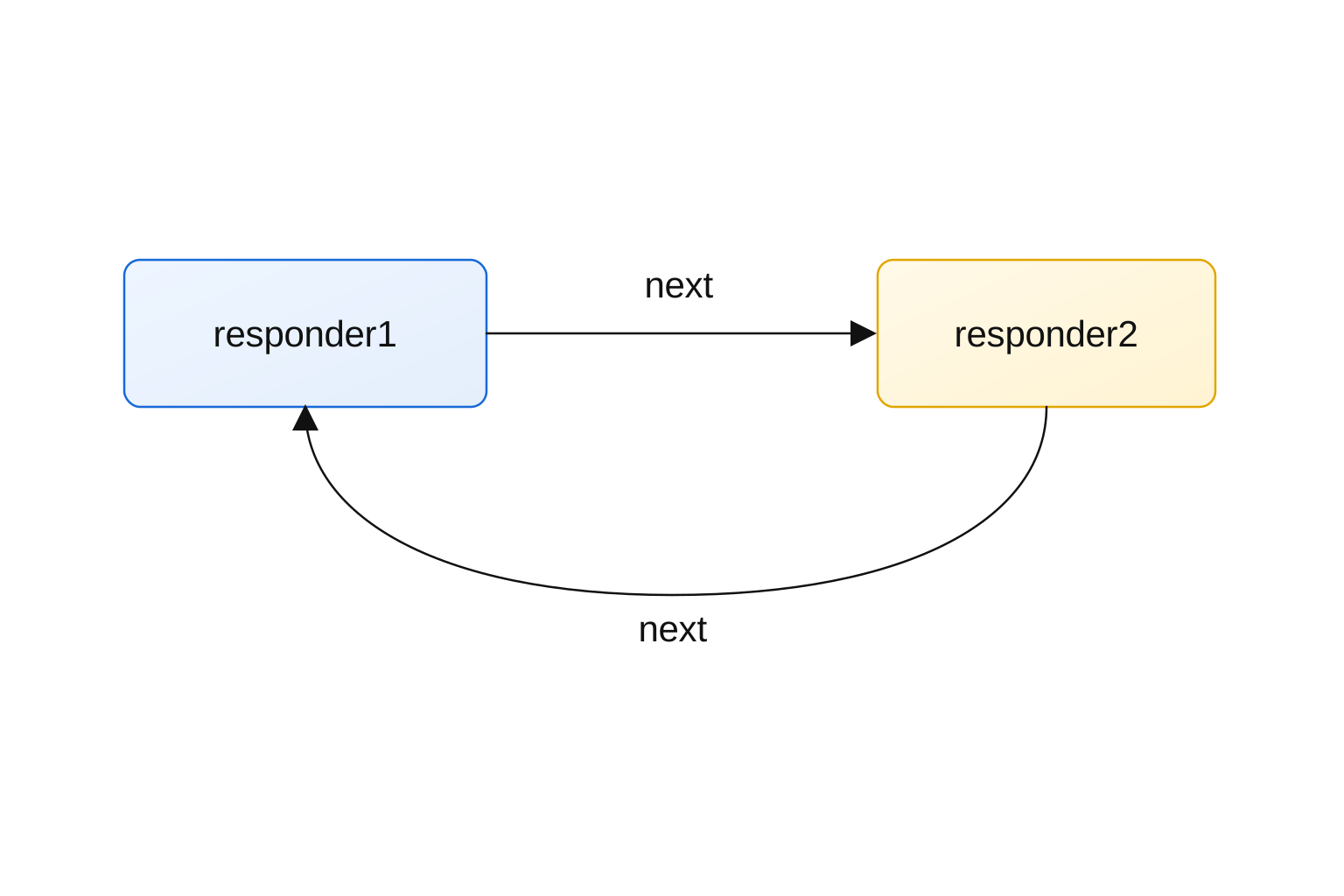
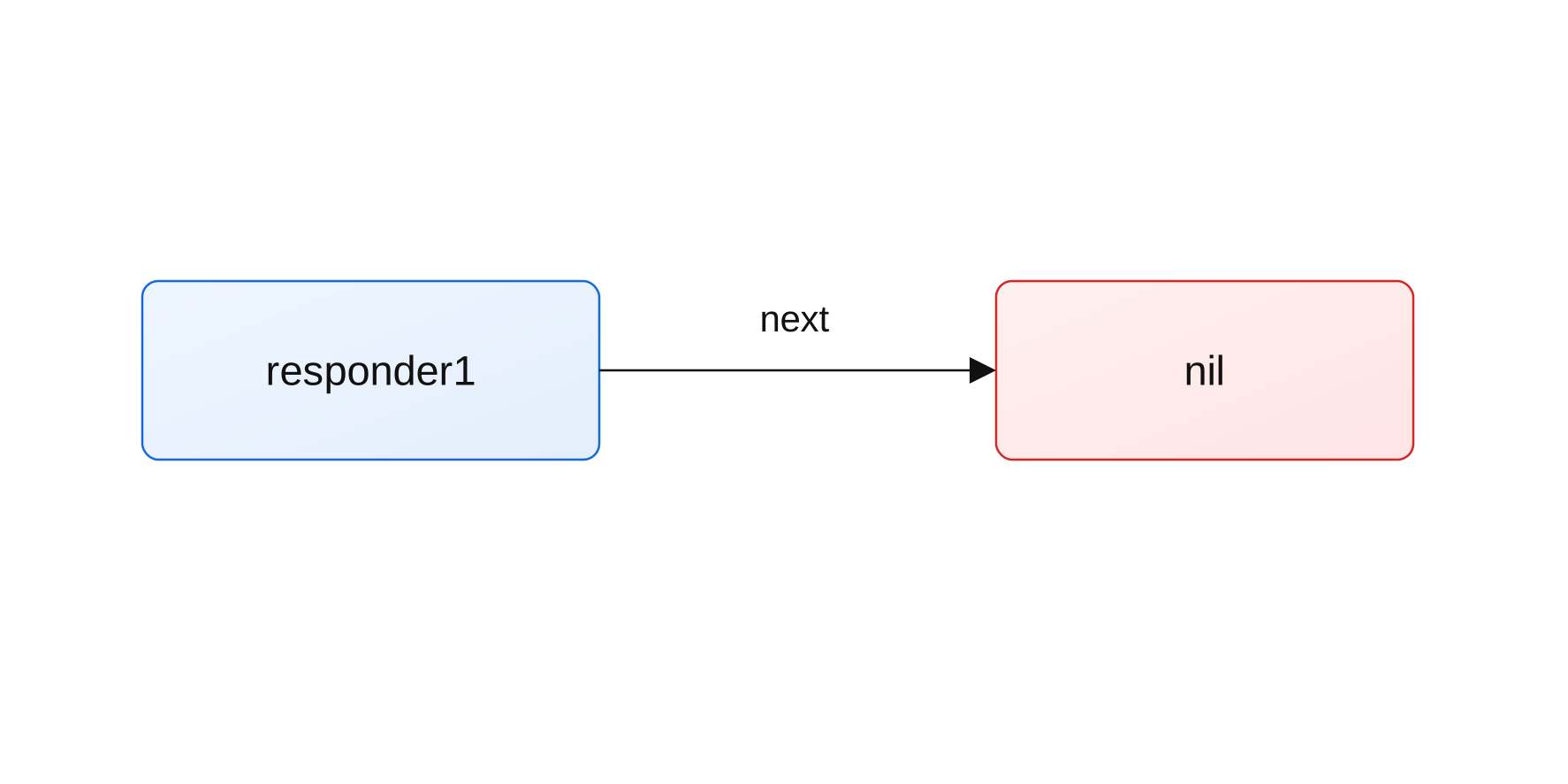
Even if all of the above structures are possible, the cycle should not get created in the responder chain; it can lead to undefined behaviour.
How is the functioning of this responder chain?
The flow is like:
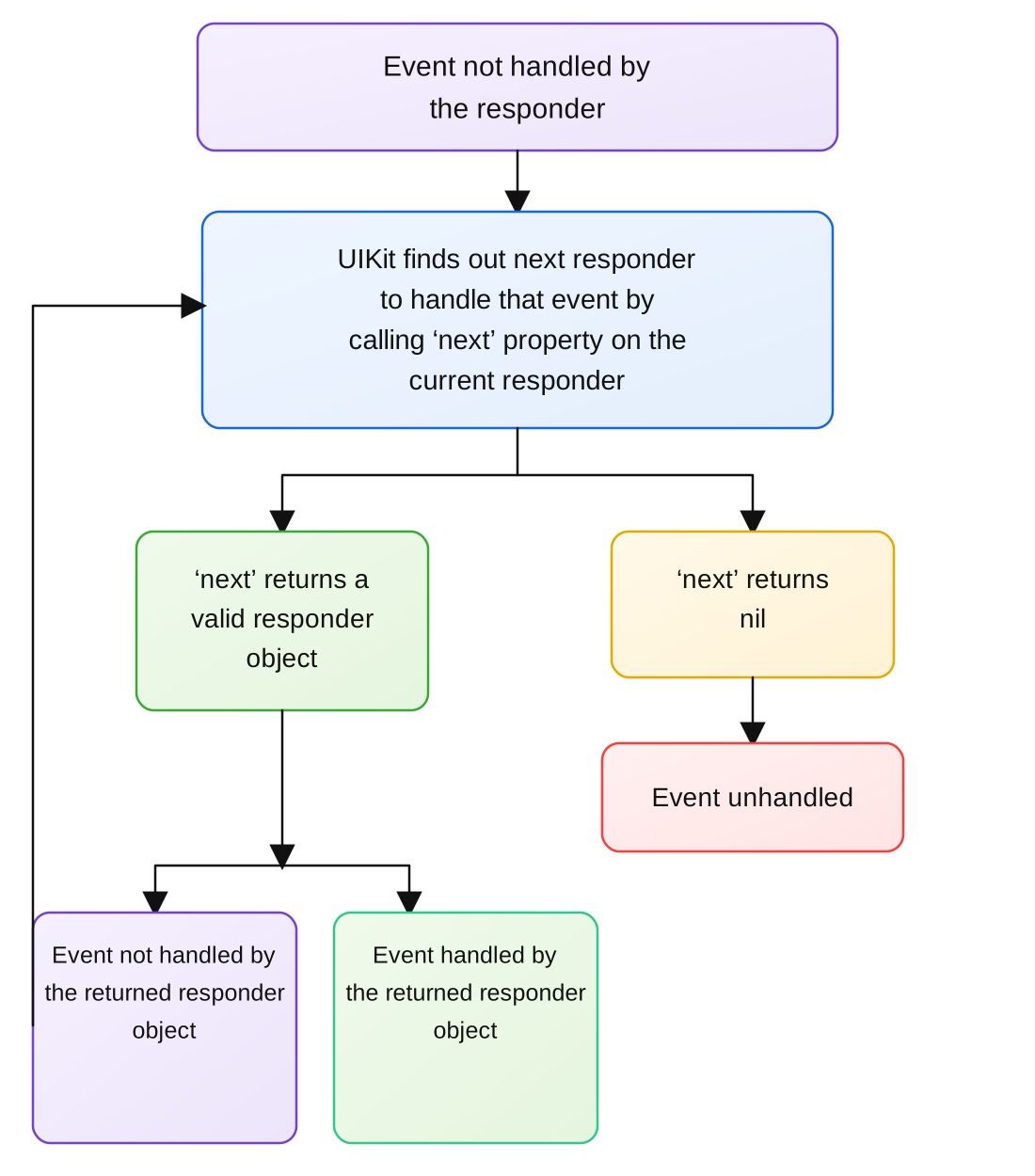
-
By default, there is one responder chain available in every UIKit app; it is made
up of the responders UIView, UIViewController, UIWindow, UIApplication. UIKit
keeps editing this responder chain as you add or remove views, viewcontrollers,
and windows to or from the app. The rules of this responder chain are as below:
- - UIView returns its viewcontroller(if it has one), or its superview(if don't have a viewcontroller) as the next responder
- - UIViewController returns its superview as the next responder
- - UIWindow returns UIApplication as the next responder
- - UIApplication returns nil by default. But if its delegate (UIApplicationDelegate) object is subclass of UIResponder, it returns that object if the delegate hasn't already received that event There is a modification starting from iOS 13:
- - UIWindow returns UIWindowScene as the next responder
- - UIWindowScene returns UIApplication as the next responder
You can print and check the default responder chain starting with a descendant view in any example app:
var responder: UIResponder? = view1
while let current = responder {
    print("current responder: \(current)")
    responder = current.next
}
In my Experiments app, it printed something like:
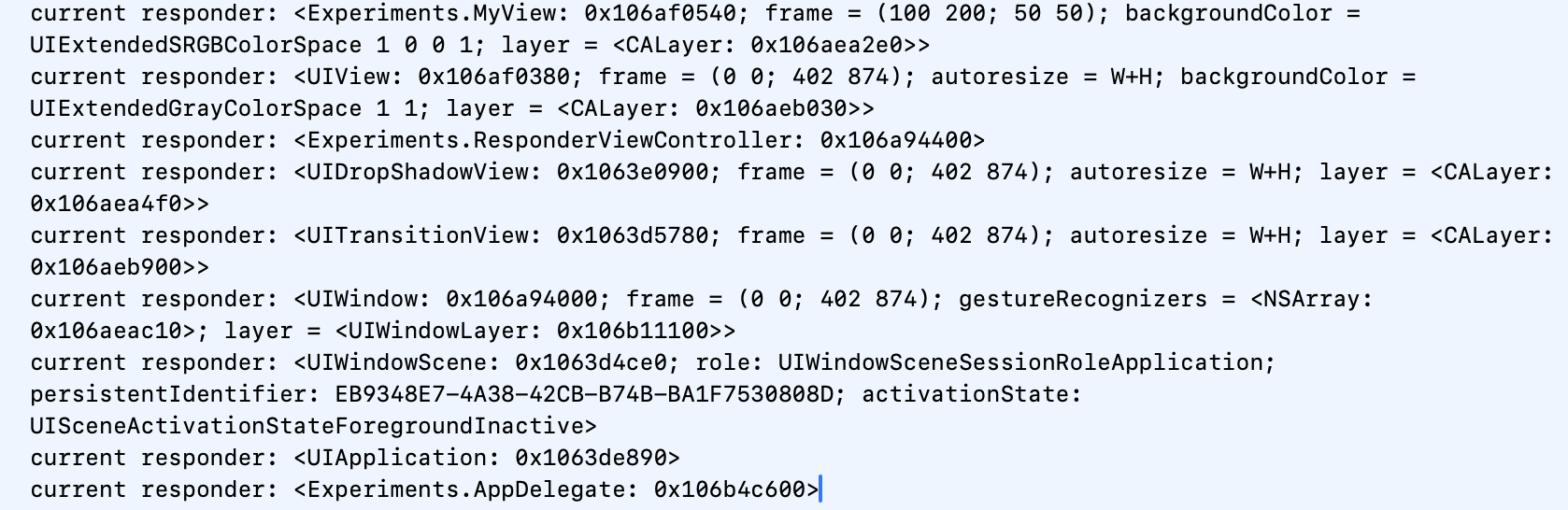
In this, the UIDropShadowView and UITransitionView are the views added by UIKit internally, ignore them for now. This behaviour varies from iOS version to version.
-
How does UIKit find out a responder object to assign an event to?
- - In case of touch events, the view where touch occurred is found out using hit testing.
- - In case of other events, there is a concept called "first responder". Generally, the responder object which has its isFirstResponder set to true, receives the event. The first responder either handles the event or ignores it. When ignored, UIKit uses the active responder chain to handle that event.
-
How is a responder object marked "first responder"?
- - Either UIKit automatically marks a responder "first responder" (for example when UITextField is tapped, UIKit marks it a first responder), or you can manually make some responder object the first responder using "becomeFirstResponder()".
- - In most cases, you need to manually mark an object the first responder, and then wait for events to occur.
- - Note that for handling touch events, marking "first responder" is not required.
CAUTION! - becomeFirstResponder() can fail for several reasons. Apple document says that, you should always call this method on views that are part of active view hierarchy, it usually fails when called on other responder objects in app which are not part of the active responder chain.
If you have any doubts in this article or want articles on any specific topics in iOS,
feel free to email us using the Contact Us page. We'll try to cover that
in the future articles or will update this article.
Stay tuned for more such articles..