
UIKit Frame vs Bounds - explained with coordinate system


Definition of frame and bounds: Frame is the location & size of a view with respect to its superview's coordinate system; bounds is the location and size of view in its own coordinate system.
Didn't understand?
You need to first understand a view's coordinate system.
A view's coordinate system is a space (which has an origin and axes) used to describe the positions and sizes of the view's contents (like subviews and drawings).
Note that view and the view's coordinate system are two different things. Many people have a misconception that coordinate system always starts at origin of view and spreads towards both of its axes. But that is not true about coordinate system of a view. View's origin doesn't necessarily align with the origin of its coordinate system. Logically, location of coordinate system's origin can be anywhere regardless of where the view itself is; and size of the coordinate system is infinite. Coordinate system can spread beyond the view's frame and beyond the screen as well. This also means that content we add to a view, can spread beyond view and logically beyond screen as well.
Let's understand all of this with an example:
We have two views in our view hierarchy as shown in the Figure-1.
let superview = UIView(
    frame: CGRect(
        x: 200,
        y: 200,
        width: 100,
        height: 100
    )
)
superview.backgroundColor = .yellow

let subview = UIView(
    frame: CGRect(
        x: 20,
        y: 20,
        width: 50,
        height: 50
    )
)
subview.backgroundColor = .orange

superview.addSubview(subview)
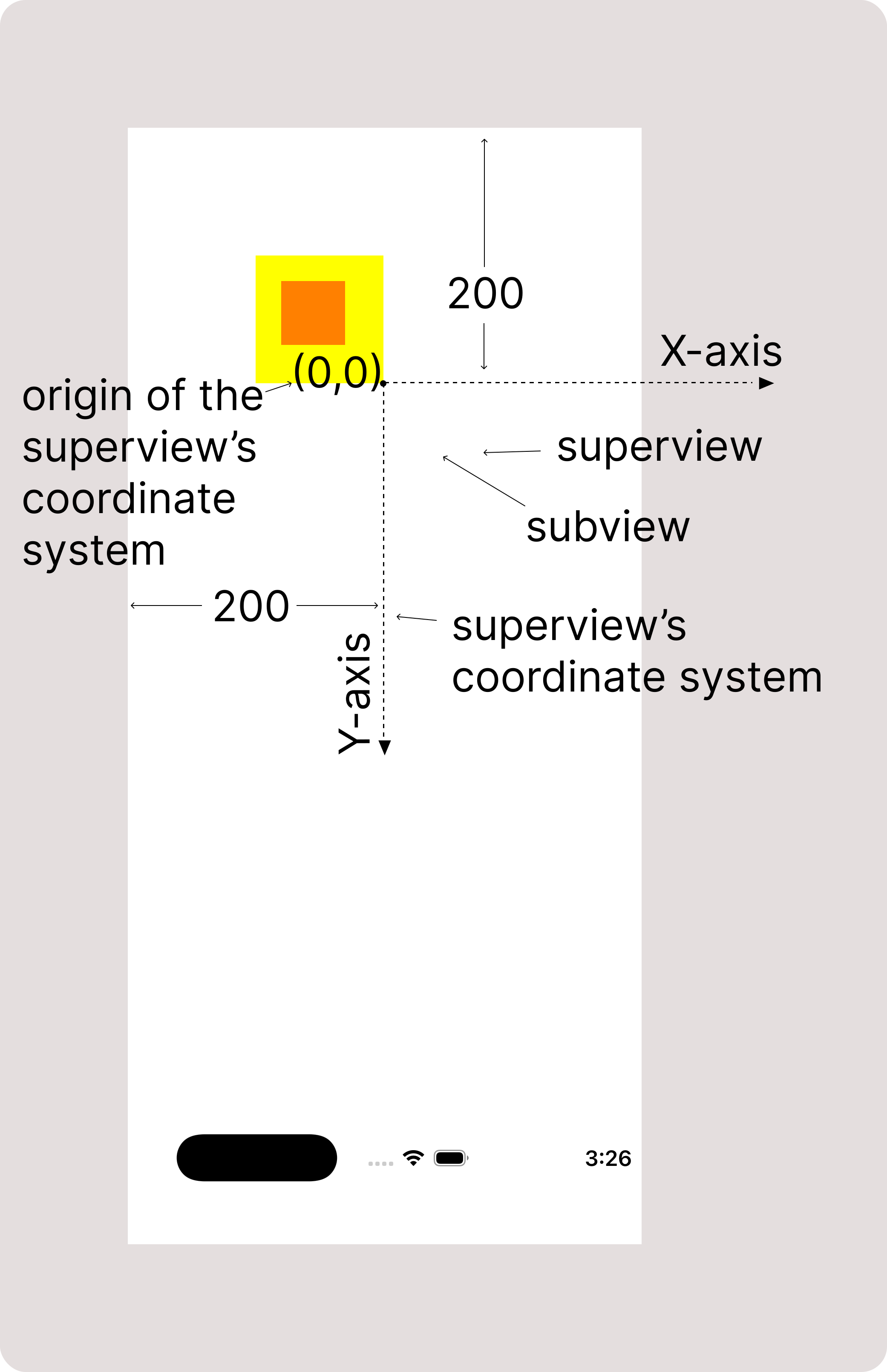
A superview (in yellow color) and another view as its subview (in orange color).
Frame of the superview is set to (200, 200, 100, 100). We have set the frame of
subview as (20, 20, 50, 50), which means it is at (20,20) points from origin of
superview's coordinate system, and has a size of (50 * 50) points.
We can also see the coordinate system of the superview.
We can see that initially, the coordinate system has its origin aligned with the
superview's origin on screen. We can also see that it has x and y axes growing beyond
screen (towards infinity).
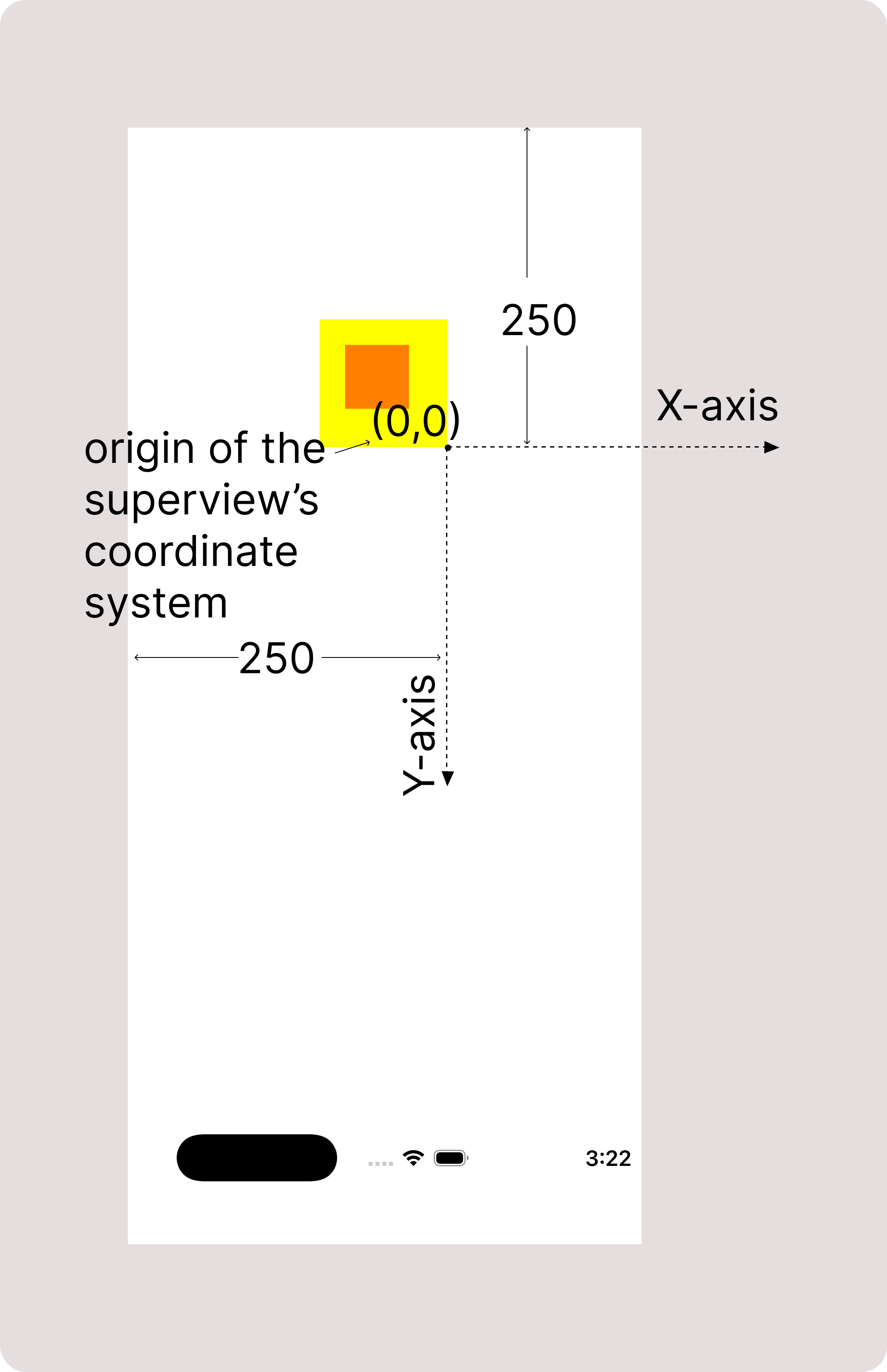
Now, let's update origin of the superview to (250, 250). You can see in figure-2 that, coordinate system's origin still aligns with origin of the superview, even after changing its frame. This is because, changing frame of a view doesn't affect its relation with its coordinate system.
superview.frame.origin =
            CGPoint(x: 250, y: 250)
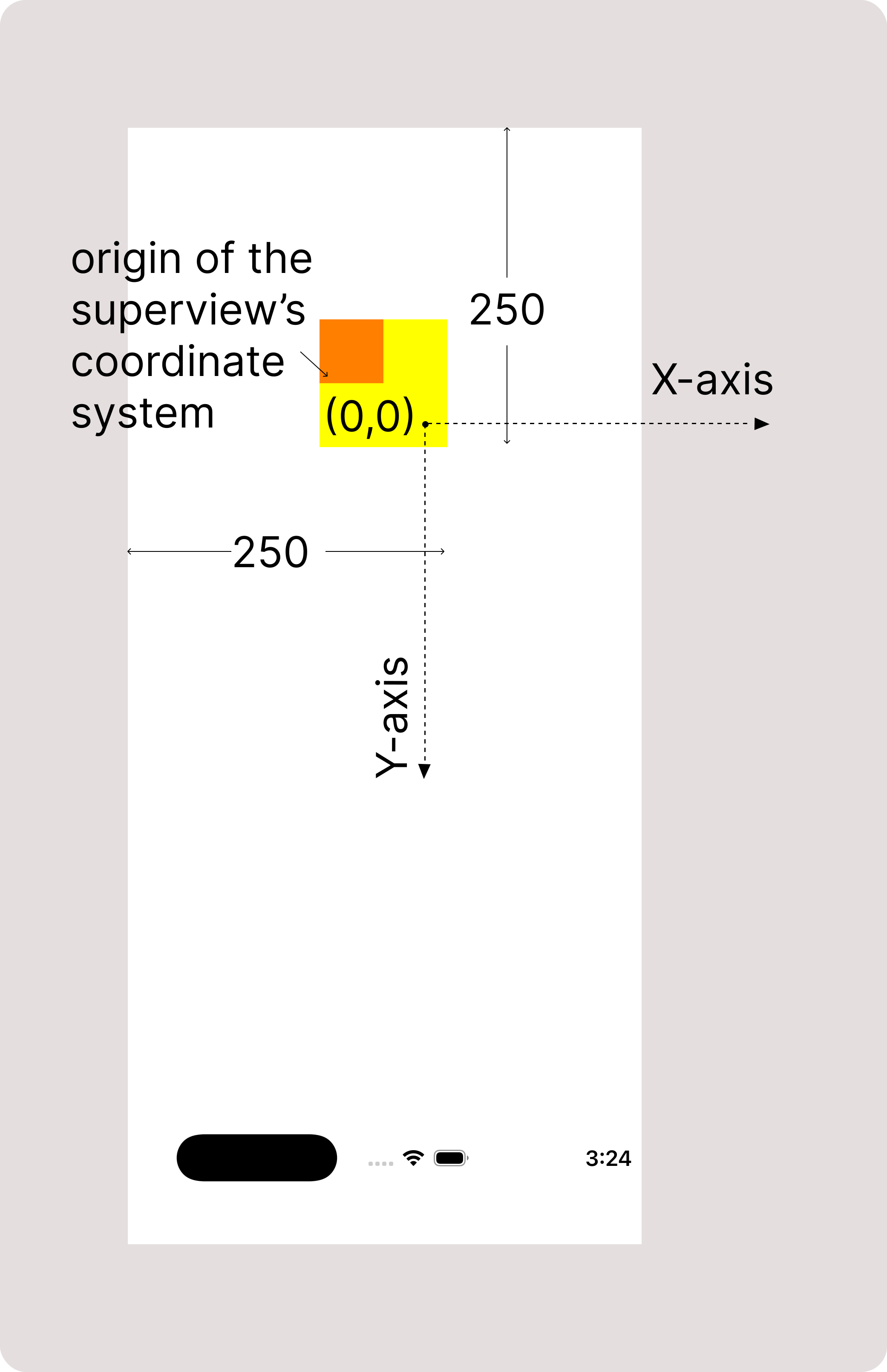
Now, let's check by changing bounds origin of the superview from
(0,0) to (20,20). Notice the change in figure-3. The coordinate system
of superview has shifted up-left from the view by (20, 20) points.
This is because, changing bounds origin of a view updates location
of coordinate system in such a way that, point on the view's own
coordinate system with coordinates equal to bound's origin aligns with
the view's origin.
Therefore, when the bounds origin changes from (0, 0) to (20, 20),
the point (20, 20) in the yellow superview's coordinate system aligns with
the superview's origin. Bound's origin determines which point in a view's
own coordinate system is placed at the view's origin.
Which also means that bounds refers to a rectangle in view's own
coordinate system which is currently visible from the view's
window(here I'm NOT referring to the UIWindow).
superview.bounds.origin =
            CGPoint(x: 20, y: 20)
Also note that the subview has also shifted up-left by (20, 20) points. Let's change bounds origin of the superview again from (20,20) to (70,70). Notice change in figure-5.
    superview.bounds.origin =
            CGPoint(x: 70, y: 70)
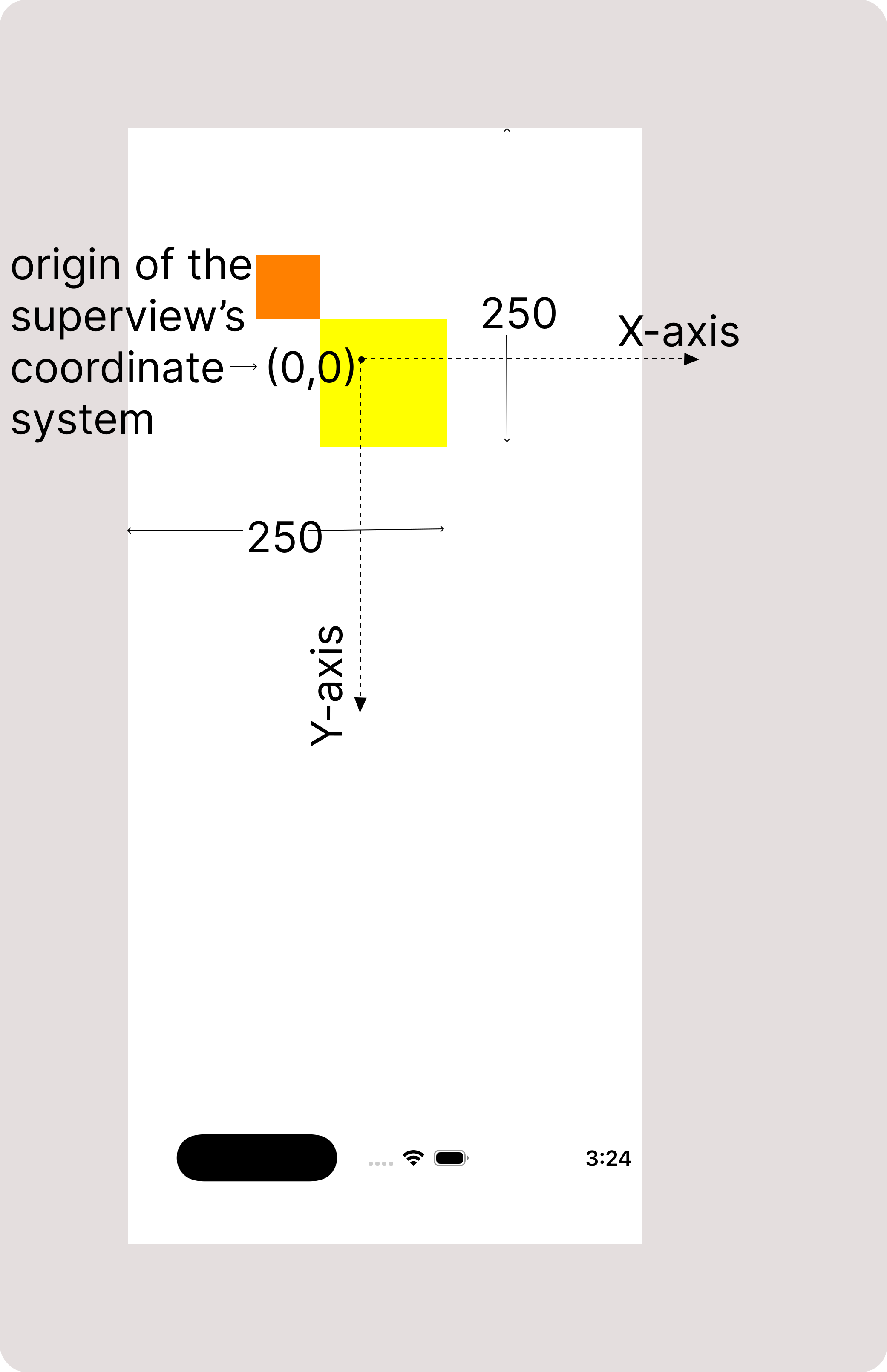
The subview(along with coordinate system) shifted up-left more by (50, 50) points. You might have already guessed why such - that is because contents of the view shift along with its coordinate system. This means that change in bounds decides which content on the coordinate system is visible to users or is within the view's window(here also I'm NOT referring to UIWindow).
So, you might have understood everything now.
Finally we can say that, frame of a view decides where to put it in its superview's coordinate system, and bounds of a view decides which rectangle to show in its frame from its whole content.
One important point - We have noticed that the content of the view can spread beyond it - but we can hide that behaviour - read it in my "clipsToBounds" article.