
Modifying frame, bounds & center properties (iOS)


Have you ever wondered how frame, bounds and center influence each other when one of them is modified or do they even get influenced by each other?
Let's see their role in the view's layout first.
Frame - It represents size and position of view within its superview's
coordinate system.
Center - It represents view's position(center) within its superview's
coordinate system.
Bounds - It represents size and position of view within its own
coordinate system.
Are you getting confused with superview's coordinate system and view's own coordinate system? - Read my earlier document "Frame vs Bounds - explained with coordinate system".
Let's come to our original discussion now.
Notice definitions of frame and center. Both are representing position of
same view within its superview's coordinate system. Since there is one view
and two properties referring to its position in same coordinate system,
values of both properties should be in sync. Hence when you update frame's
origin, UIKit updates its center property accordingly and vice versa.
Here is its example:
We have a superview and its subview in our example. Initially, subview's
frame's origin and its center are as shown in figure 1.1.
let superview = UIView(
    frame: CGRect(
        x: 50,
        y: 200,
        width: 300,
        height: 300
    )
)
superview.backgroundColor = UIColor(
    cgColor: CGColor(
        red: 5,
        green: 0,
        blue: 5,
        alpha: 1
    )
)

let subview = UIView(
    frame: CGRect(
        x: 100,
        y: 100,
        width: 100,
        height: 100
    )
)

subview.backgroundColor = UIColor(
    cgColor: CGColor(
        red: 0,
        green: 5,
        blue: 0,
        alpha: 1
    )
)

superview.addSubview(subview)
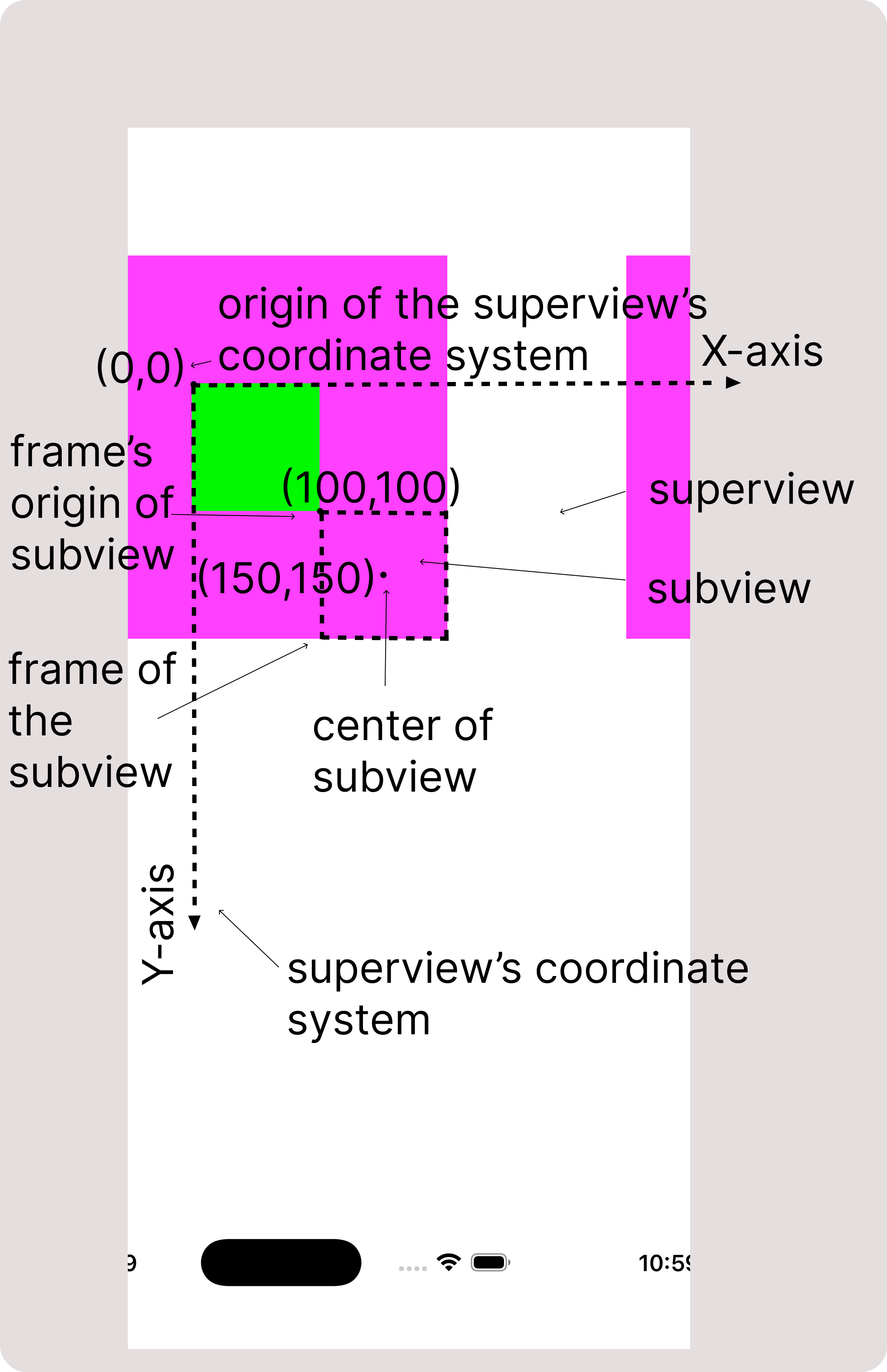
Let's now change the frame's origin of subview to change its position in superview's coordinate system.
subview.frame.origin =
            CGPoint(x: 150, y: 150)
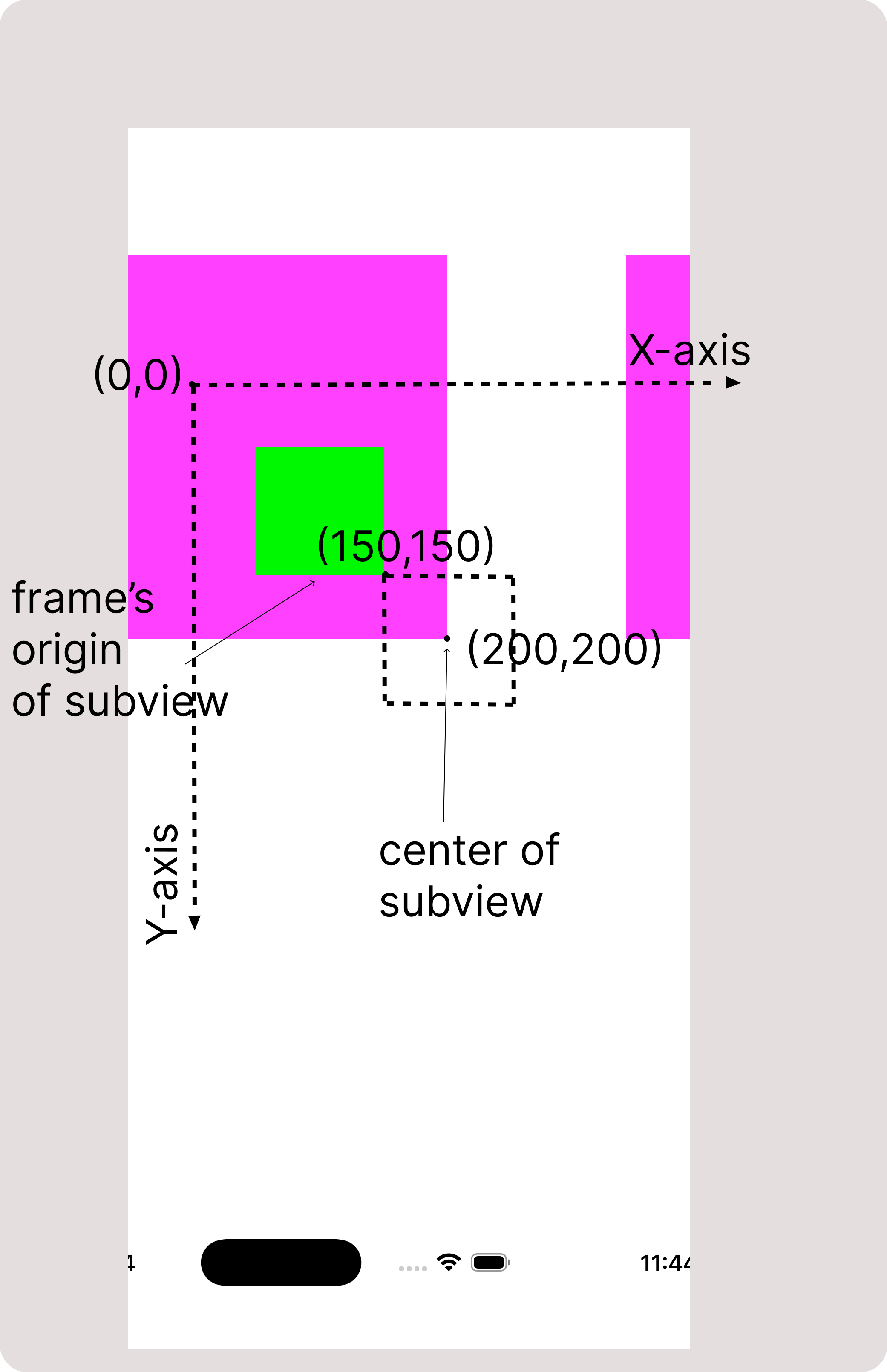
Notice that the subview's center also changed to match that position.
Now let's modify center of the subview:
subview.center =
            CGPoint(x: 150, y: 150)
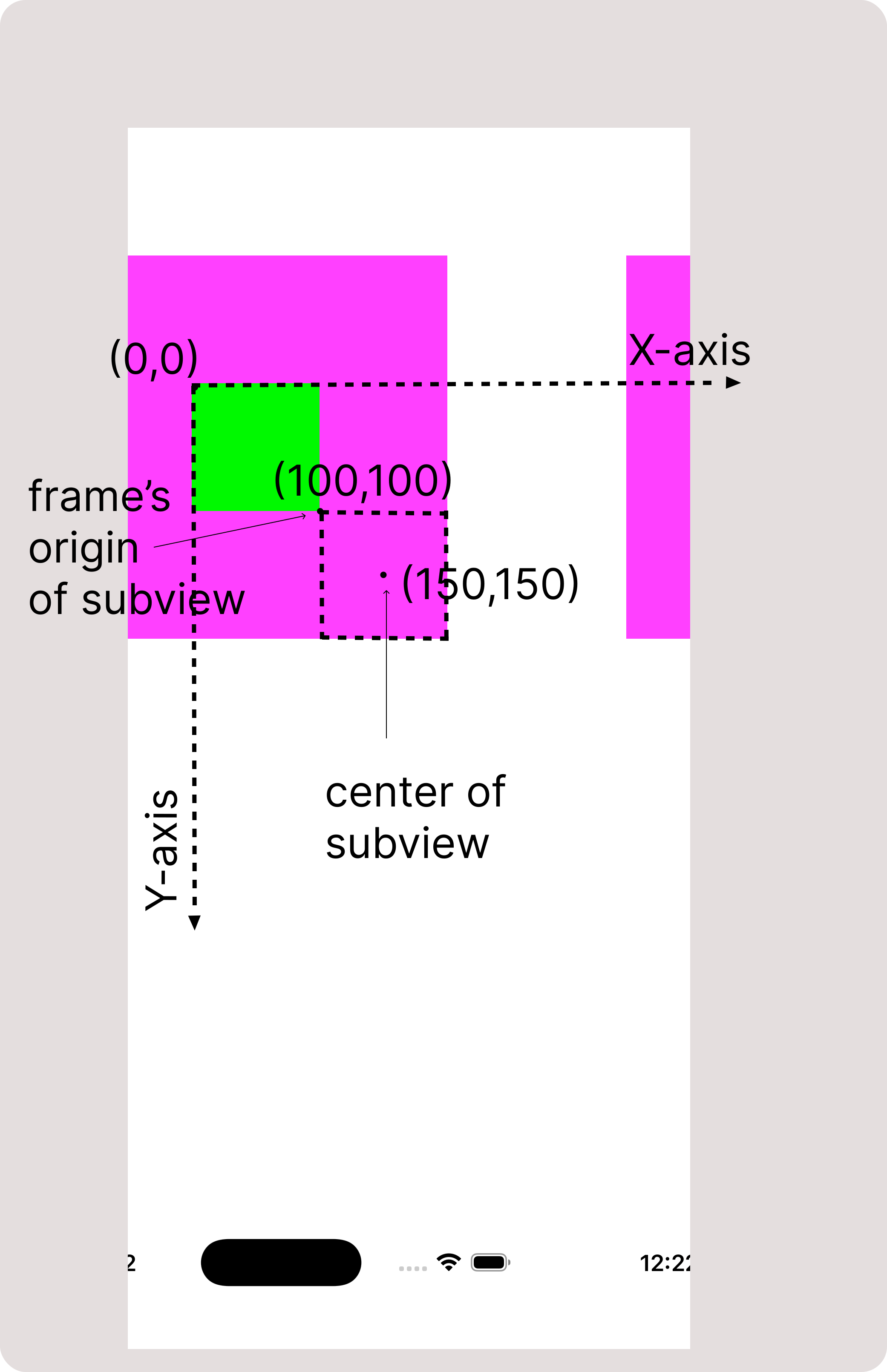
Notice that the origin also changed to match.
What happens with center of the view when size of the frame changes? -
The center changes too.
Lets see its example:
Initially we have frame size and center of the subview as shown in Figure 2.1
let superview = UIView(
    frame: CGRect(
        x: 50,
        y: 200,
        width: 300,
        height: 300
    )
)
superview.backgroundColor = UIColor(
    cgColor: CGColor(
        red: 5,
        green: 0,
        blue: 5,
        alpha: 1
    )
)

let subview = UIView(
    frame: CGRect(
        x: 100,
        y: 100,
        width: 100,
        height: 100
    )
)
subview.backgroundColor = UIColor(
    cgColor: CGColor(
        red: 0,
        green: 5,
        blue: 0,
        alpha: 1
    )
)

superview.addSubview(subview)
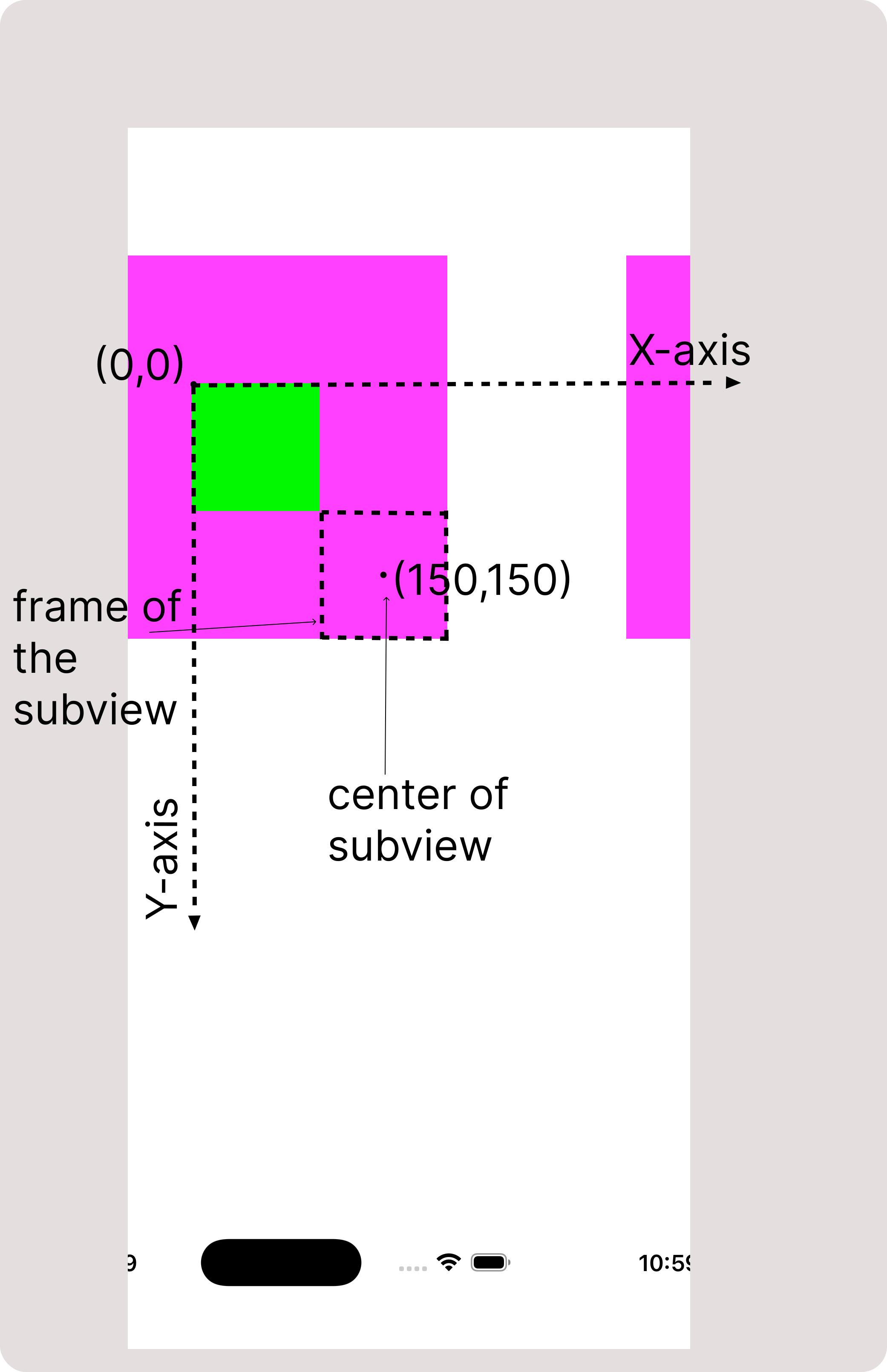
Now let's modify size of the frame:
subview.frame.size =
            CGSize(width: 200, height: 200)
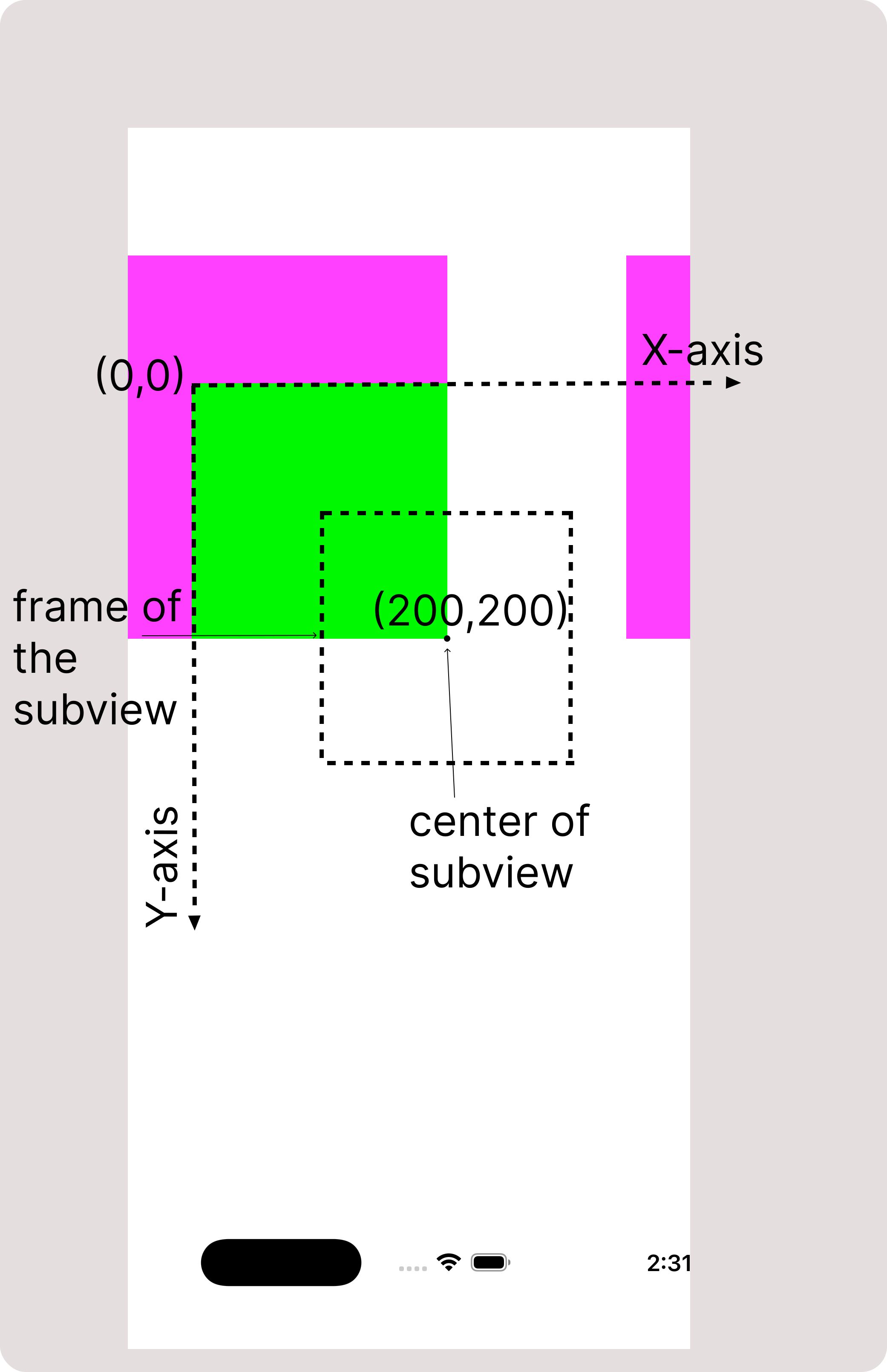
Notice that center of the subview too changed accordingly.
But changing center does not change size of the view as observed in figure 1.3
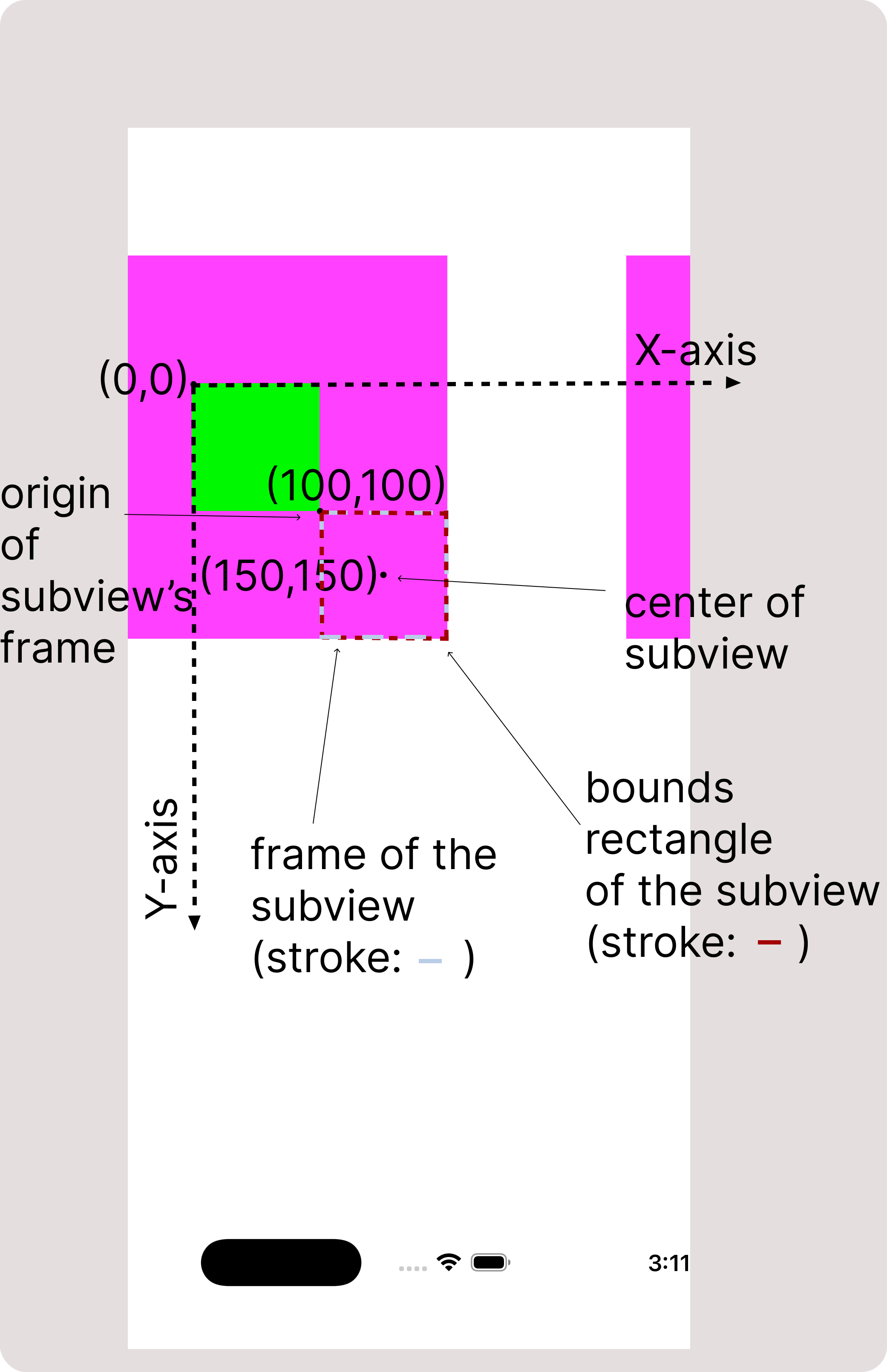
Notice definitions of frame and bounds. Both are representing size of the view; but in different coordinate systems. Still, UIKit keeps the values of bounds size and frame size in sync. Because even if they are not referring to the same value, they are related to each other in some sense. In normal cases such as no transform or identity transform, values of bounds size and frame size are kept same as shown in example below.
Initially, frame's rectangle and bounds rectangle of the subview are as shown in figure 3.1:
let superview = UIView(
    frame: CGRect(
        x: 50,
        y: 200,
        width: 300,
        height: 300
    )
)
superview.backgroundColor = UIColor(
    cgColor: CGColor(
        red: 5,
        green: 0,
        blue: 5,
        alpha: 1
    )
)

let subview = UIView(
    frame: CGRect(
        x: 100,
        y: 100,
        width: 100,
        height: 100
    )
)
subview.backgroundColor = UIColor(
    cgColor: CGColor(
        red: 0,
        green: 5,
        blue: 0,
        alpha: 1
    )
)

superview.addSubview(subview)
Let's modify frame's size of the subview:
subview.frame.size =
            CGSize(width: 200, height: 200)
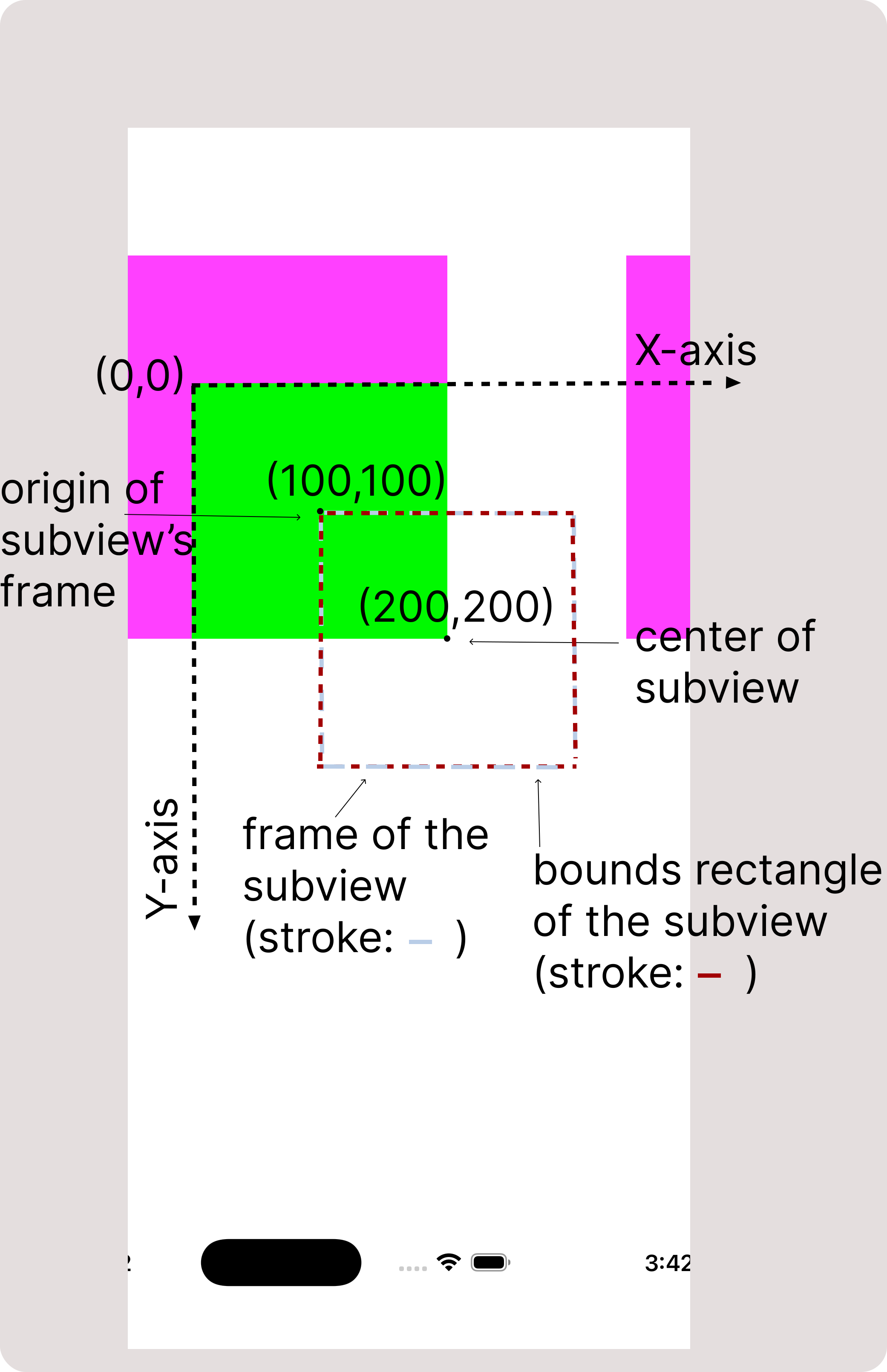
Notice bounds rectangle. Its size is same as the modified size of the frame rectangle.
Now let's modify size of the bounds rectangle:
subview.bounds.size =
            CGSize(width: 100, height: 100)
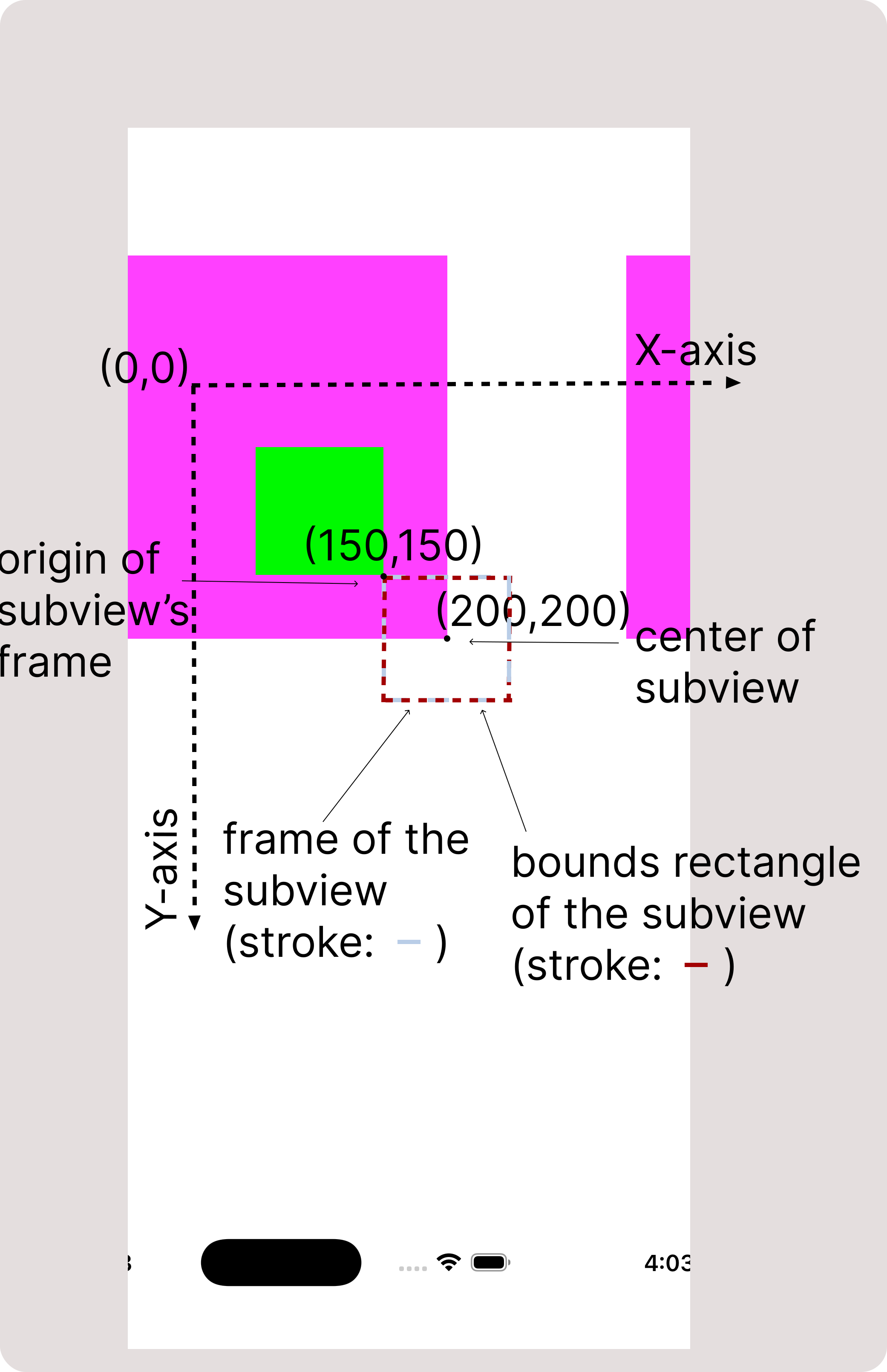
Notice that the frame's rectangle has same size as that of bounds rectangle.
Notice in figure 3.3 that, origin of frame got changed after changing its bounds size. We'll discuss its reason later in this article.
In cases such as rotation transform, values of bounds size and frame size are not necessarily same. Apple states that when non-identify transform applied to the a view, its "frame" is undefined and should be ignored. Hence we should not rely on frame property in this case.
Notice definitions of bounds and center. They don't have anything common. UIKit takes care that the view's center should not get changed while modifying its bounds; and its bounds don't get changed while modifying center of the view. Caution! - While changing bounds' size of the view, the center property should not get changed; to achieve this, origin of the frame is modified by UIKit. This is the behaviour we observed in figure-3.3
What happens if bounds' origin is changed? Or does any of the properties frame, center and even bounds size change while modifying bounds origin? - There is no effect. Imagine there is a large area of content and a small rectangle representing bounds of view. Where we put the rectangle in that large area is determined by bounds' origin. Which means, bounds origin is the position of view in its own coordinate system. It does not have any relation with the properties frame, center, bounds size.
So now you might have got a clarity of what happens while modifying frame, bounds
and centre properties of the view. If you have any doubts or want articles on any
specific topics in iOS, feel free to email us using the Contact Us page. We'll
try to cover that in the future articles or will update this article.
Stay tuned for more such articles..